



Nowadays, it has become common to get almost everything we want through the internet. At the same time, many children have started avoiding face-to-face conversations and making new friends, choosing instead to spend most—or even all—of their time online or staring at their mobile phone screens.
But what if, today, we took a different approach? Let’s talk about a wonderful and unique app called Make It.
Today, we’re introducing an amazing application that allows children to create fun and interactive games. With Make It, your child can design educational games and share them with friends, opening the door to exciting new opportunities for learning and creativity.
The app also encourages greater interaction between children, their classmates, and even their teachers, helping motivate them to study while inspiring them to think creatively beyond the limits of a small screen.
So, let’s explore this exciting app together in today’s article and discover how it can create engaging learning opportunities for your child.
Download Make it App
If you own an Android device, you can download the Make It app through the following link:

If you own an iOS device, you can download the Make It app through the following link:

If you own an Android device, you can download the Make It app through the following link:
Features of the Make It App
Below are Make it app key features:
- Create creative games with ease: The app offers a variety of game templates and formats, allowing you to design interactive games and present them in a simple and engaging way.
- Encourage creativity: Your child can use Make It to create stories, books, games, and a wide range of unique educational activities, helping them express their creativity in fun and meaningful ways.
- Securely save your creations: You can store all of your designs in a private folder, making it easy to organize and access your activities and creative projects without worrying about losing them.
- Share projects effortlessly: The app allows you to share your projects through cloud storage or save them to your email for easy access and backup.
- Access projects across multiple devices: You can share and view your Make It projects on different devices, making collaboration and presentation simple and convenient.
- Suitable for a wide range of users: Make It is designed to benefit many different users. Children can use it to create imaginative games and creative projects that encourage them to use their imagination in productive and enjoyable ways.
- A valuable tool for teachers: Teachers can also use Make It to support their students by encouraging them to participate in creating and designing engaging educational activities, making learning more interactive and enjoyable.
The Main Interface of the Make It App
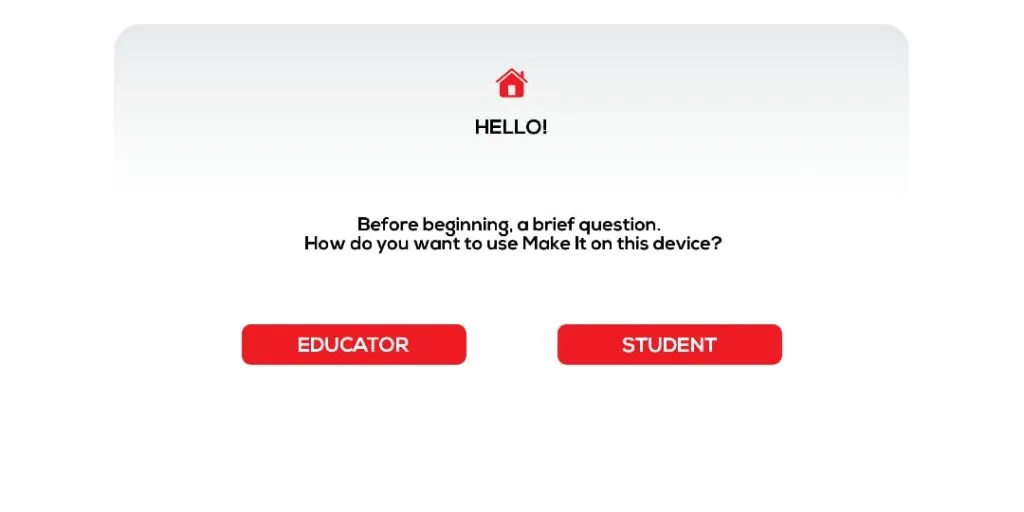
Once you download the Make It app, the first thing you’ll see is an important question: Do you want to use the app as a teacher or as a student? Based on your choice, the app will take you to the main interface, which offers a variety of useful features and options.
For example, if you choose to use the app as a student, you’ll find several exciting tools and activities designed to encourage creativity and innovation. Among the options available on the home screen is a section called My Projects, where you can access and manage all of the projects you’ve created.
My Projects
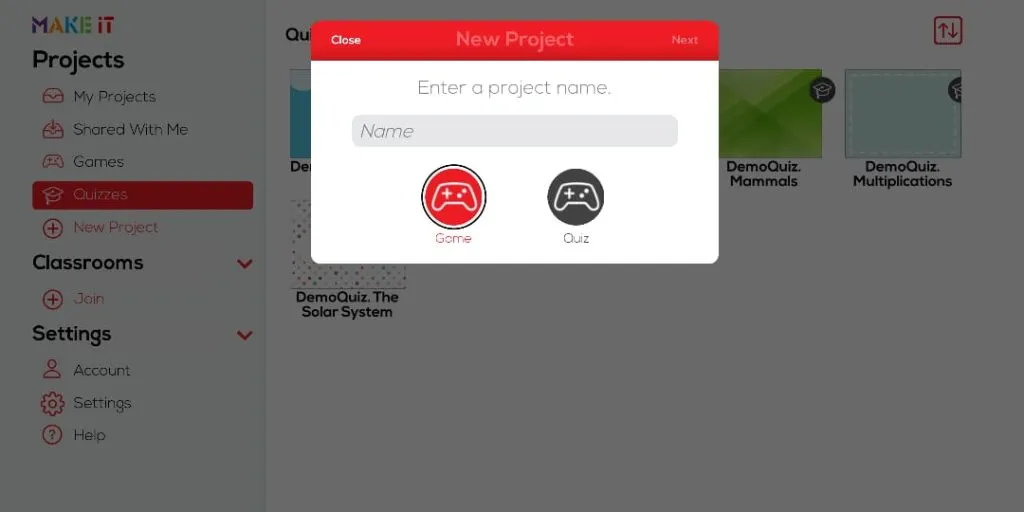
When you open this section, you’ll find a variety of different projects and ready-made templates that you can use to create your own project with ease. Your child can simply choose the template they like and start working on it, making the creative process both easy and enjoyable.
Games
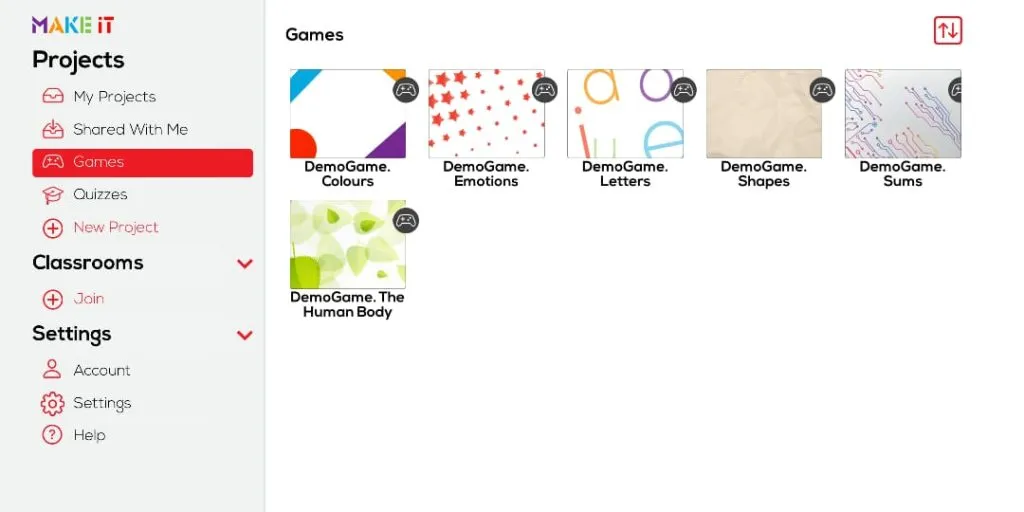
Another option is Games, which provides a collection of ready-to-use game templates that you can customize to create fun and engaging educational games.
As the name suggests, this section allows you to share the projects you’ve created with others and access projects that have been shared with you.
Quizzes
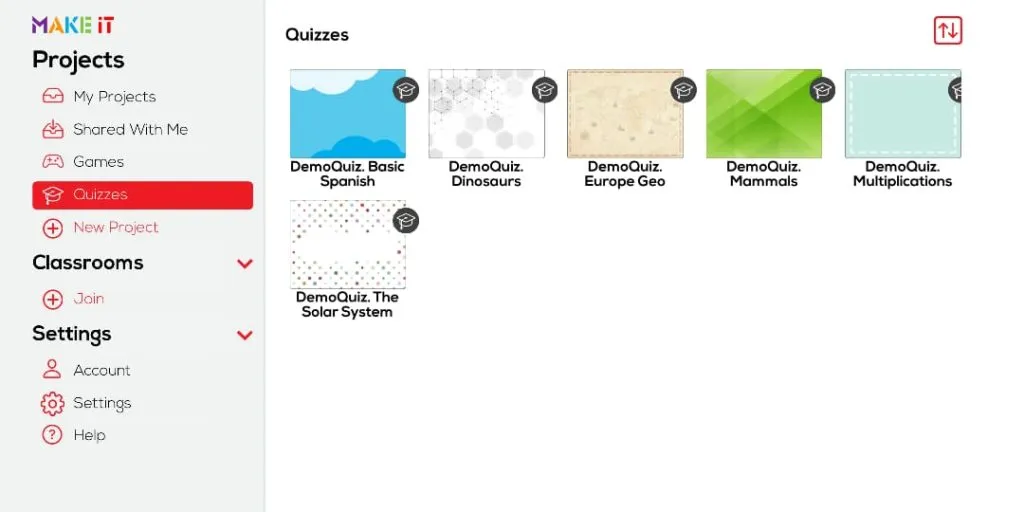
The Make It app isn’t limited to creating games. It also allows you to design your own quizzes using a variety of ready-made templates, making it easy to choose the format that best suits your needs.
In addition, the app includes a New Project option, where you can create either a new game or a quiz from scratch. You can easily customize your project and give it a name before you begin working on it.
All of these great features are available at your fingertips, making it easy to explore your creativity and create your best ideas with confidence.
We’ve now reached the end of our article about the Make It app. Take advantage of everything it has to offer and help your children become more creative, innovative, and confident learners.
Don’t forget to follow us and share your thoughts with us through our social media channels. We’d love to hear from you!
